2FA coverage
See how many administrators and users are already protected by an authenticator.

Protect logins, monitor security-relevant activity and block suspicious web requests with one central WordPress security solution.
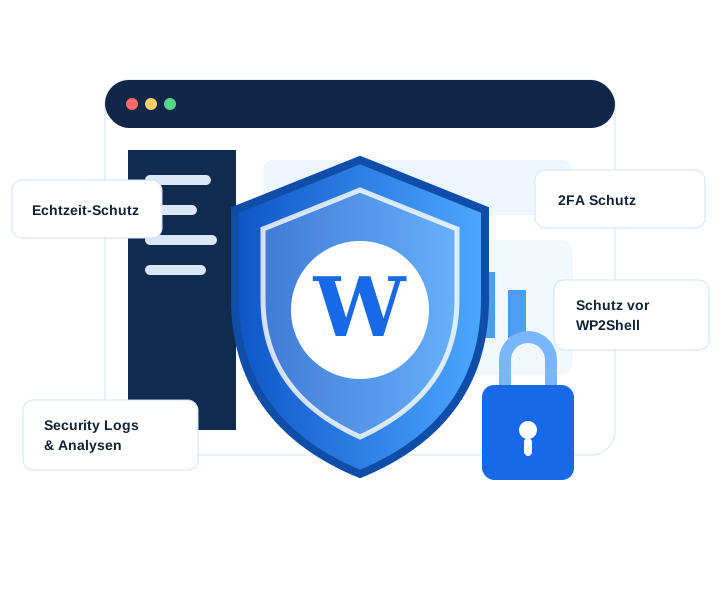 2FAWAFLogs
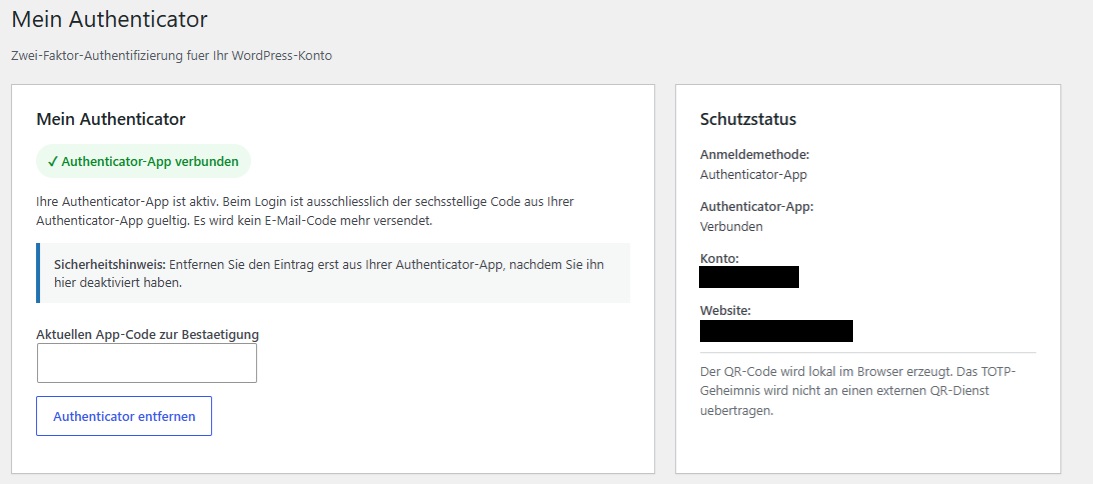
Activity Guard adds a second, time-based factor to the WordPress login. Once a TOTP-compatible authenticator app has been connected, users must enter a six-digit app code in addition to their password.
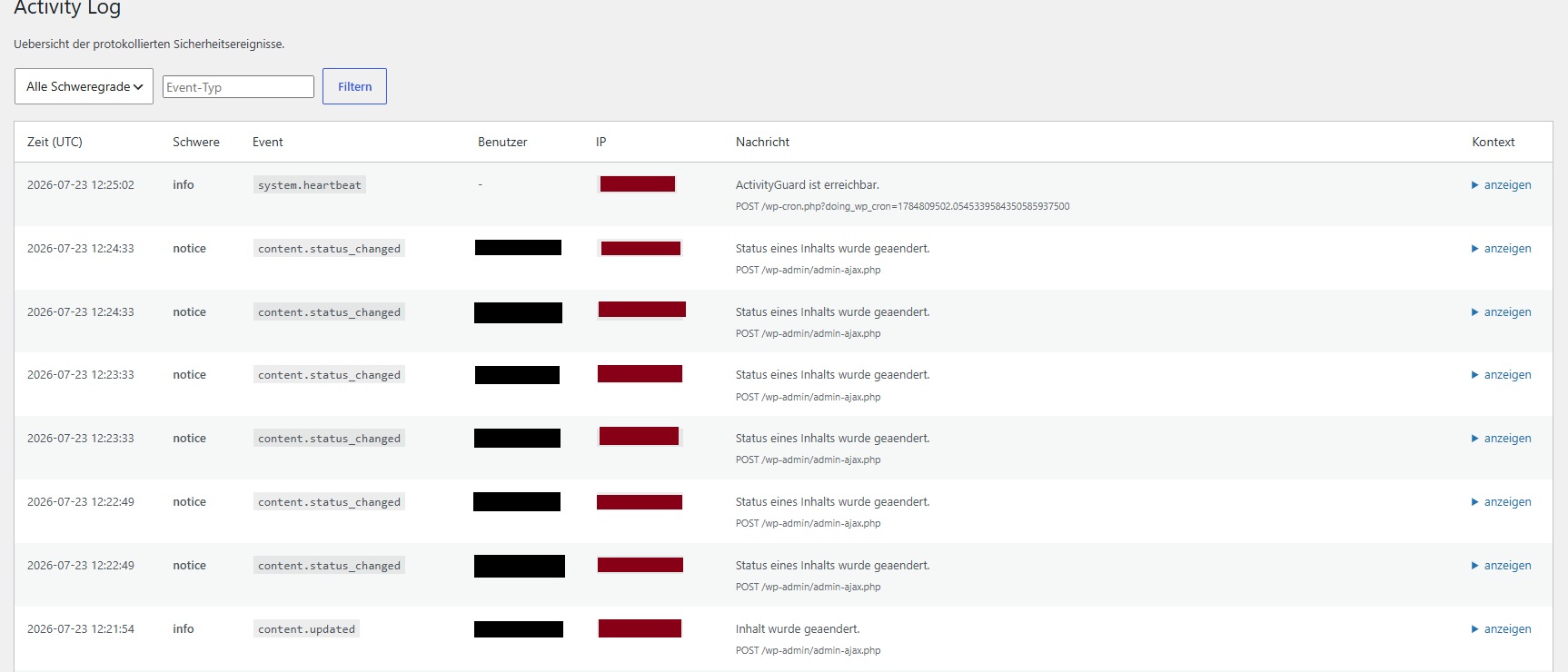
The central event log shows what is happening inside the website. Events can be filtered by severity and event type and include the context required for investigation.
The dashboard summarises authenticator coverage, today's events, warnings and the latest activity in one clear interface.
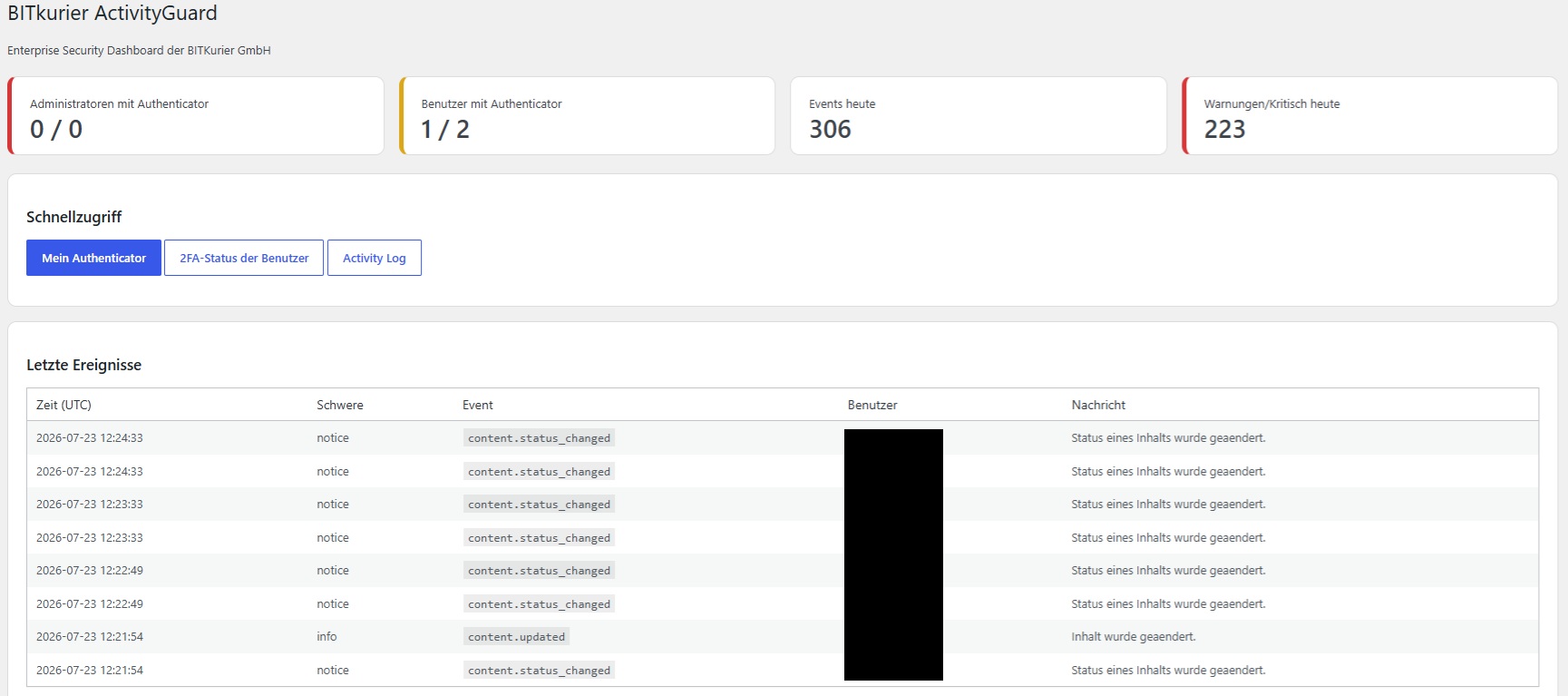
See how many administrators and users are already protected by an authenticator.
Current activity volume makes unusual spikes easier to identify.
Security-relevant events are highlighted so that action remains visible.
Open authenticator settings, user status and the complete activity log directly.
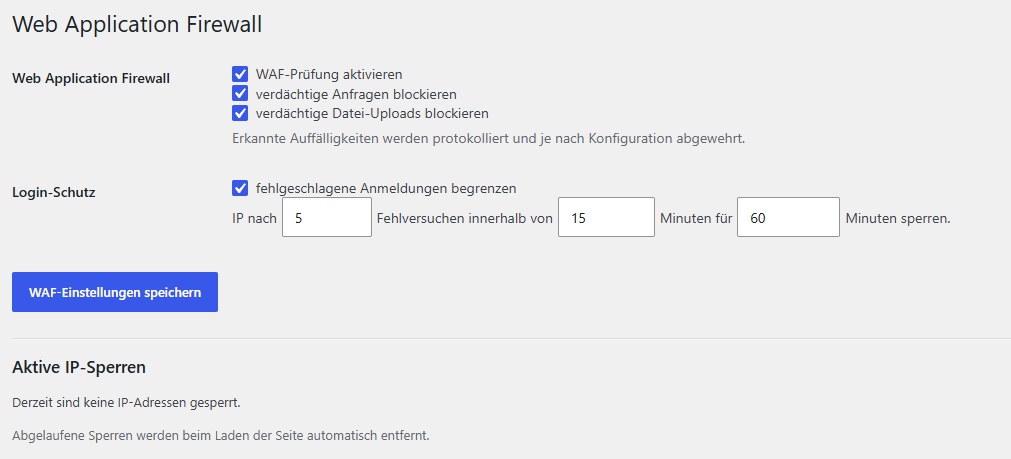
The integrated WAF checks incoming requests for suspicious patterns. Depending on configuration, malicious requests and file uploads are blocked and logged.
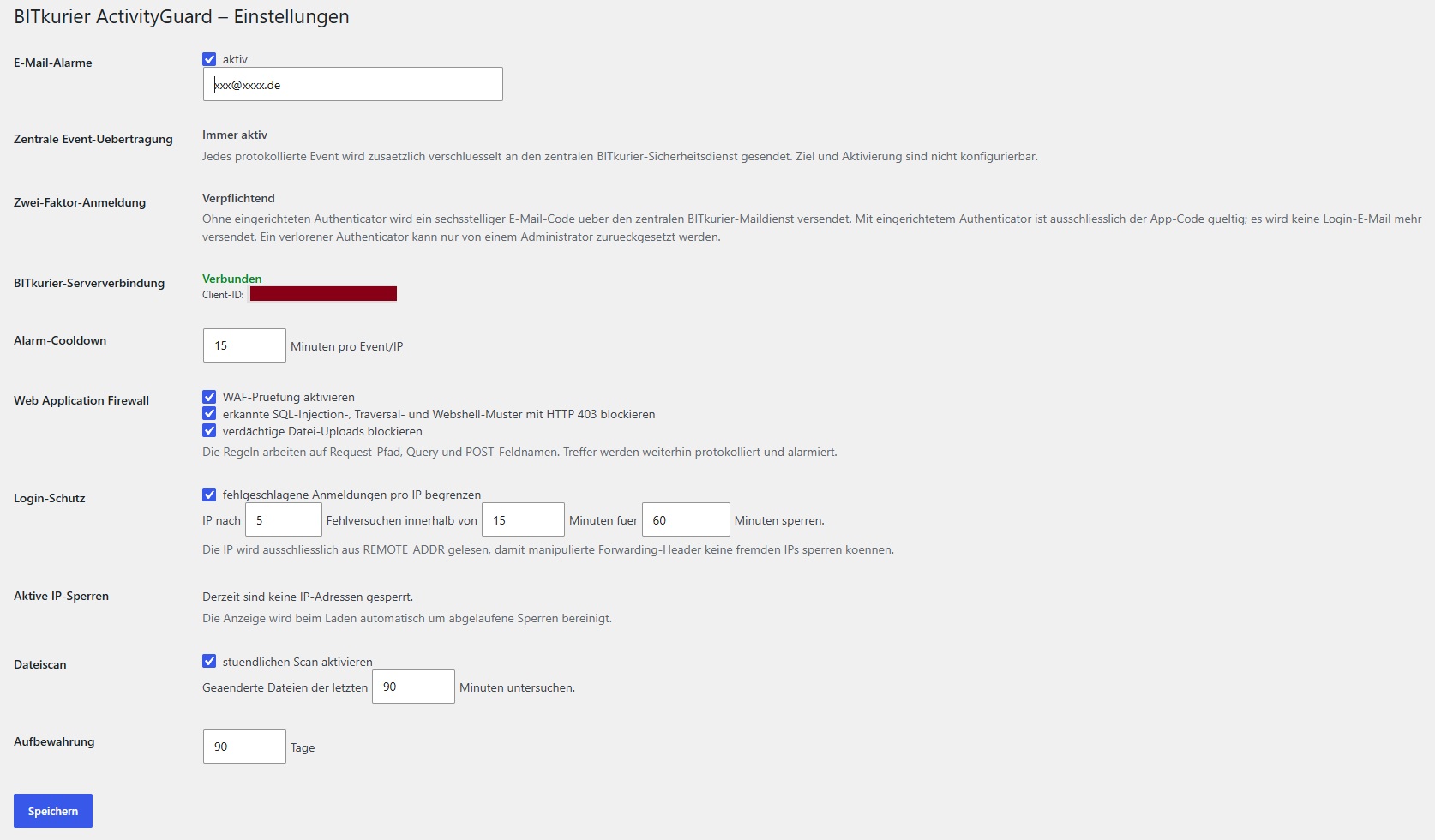
All active protection modules are managed centrally. Email alerts notify administrators about security-relevant events, while a cooldown limits repeated notifications.
A login, upload, request or WordPress change is initiated.
Activity Guard checks rules, attack patterns, user context and security status.
Suspicious activity is blocked according to configuration and recorded in full.
Administrators gain visibility through the dashboard, activity log and email alerts.
| Feature | Activity Guard | Basic 2FA plugin | Basic logging plugin |
|---|---|---|---|
| Authenticator-based 2FA | ✓ | ✓ | – |
| Activity log with context | ✓ | – | ✓ |
| Web Application Firewall | ✓ | – | – |
| Login and IP protection | ✓ | Partial | – |
| File scanning | ✓ | – | – |
| Central security transmission | ✓ | – | – |
| Email alerts | ✓ | Partial | Partial |
Activity Guard works with TOTP-compatible authenticator apps, including Google Authenticator, Microsoft Authenticator, Aegis, Authy and FreeOTP.
In the shown configuration, a six-digit email code is provided through the central Bitkurier mail service. Once an authenticator is configured, only the app code is accepted.
The rules inspect request paths, query and POST fields for configured SQL injection, traversal and webshell patterns as well as suspicious file uploads.
After a configured number of failed logins within a defined time window, the affected IP address is blocked for the selected duration.
The retention period can be configured in days to align storage with internal requirements and data-protection policies.
Start with one WordPress installation or request a tailored Corporate solution.